You have a to-do list with 30 items. Where do you start? Most people start with whatever feels most urgent — and that's exactly the problem.
The Eisenhower Matrix is a decision-making framework that helps you sort tasks by what actually matters, not just what's screaming for attention. Named after Dwight D. Eisenhower — the 34th President of the United States, Supreme Allied Commander in WWII, and one of the most productive leaders in modern history — the matrix is built on a simple but powerful idea:
"What is important is seldom urgent and what is urgent is seldom important."
In this guide, you'll learn how the Eisenhower Matrix works, how to use it step by step, see real-world examples for students, professionals, and freelancers, and discover common mistakes to avoid.
What Is the Eisenhower Matrix?
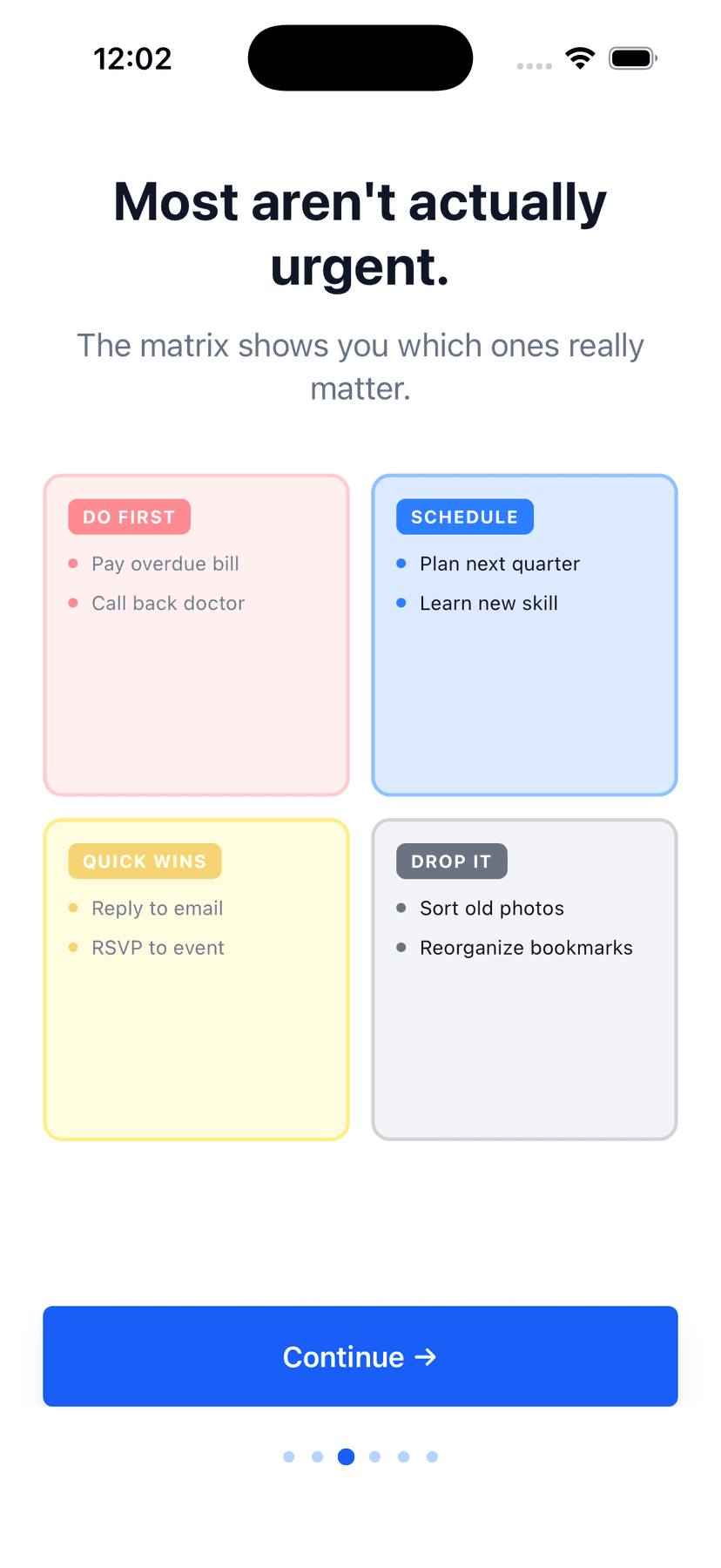
The Eisenhower Matrix (also called the Eisenhower Box, Urgency-Importance Matrix, Eisenhower Decision Matrix, or Covey's Time Management Matrix) is a 2x2 grid that categorizes tasks based on two questions:
- Is it urgent? — Does it have a deadline or time pressure?
- Is it important? — Does it contribute to your long-term goals?
Stephen Covey popularized this framework in his bestselling book The 7 Habits of Highly Effective People, and it remains one of the most widely used prioritization tools in the world. Why? Because it forces a binary decision on two axes, making categorization fast and actionable.
The Four Quadrants Explained
Quadrant 1: Do First (Urgent + Important)
These are tasks with deadlines that directly impact your goals. They need your attention right now.
Examples:
- Tax filing deadline tomorrow
- Client deliverable due today
- Broken production server
- Exam tomorrow morning
- Sick child needs to see a doctor
Action:
Handle these immediately. But if Q1 is always full, you're in reactive mode — you need more Q2 time.
Common mistake:
Letting everything live here. If everything is Q1, nothing is prioritized. Try asking: "What happens if I don't do this today?" If nothing bad happens, it's not Q1.
Quadrant 2: Schedule (Important + Not Urgent)
These tasks move you toward long-term goals but have no immediate deadline. This is where life-changing work happens.
Examples:
- Exercise and fitness
- Learning a new skill
- Strategic planning
- Relationship building
- Portfolio updates
- Retirement savings
Action:
Block time on your calendar. Q2 is the most neglected quadrant. People who spend more time here have fewer Q1 crises.
Key insight:
If you find most of your tasks end up in Q2, that's actually the goal. Q2 is your priorities. The matrix is working when Q2 gets the most attention.
Quadrant 3: Delegate (Urgent + Not Important)
Time-sensitive tasks that don't contribute to your goals. They feel urgent because someone else needs them, but they're not moving you forward.
Examples:
- Most emails
- Routine meeting requests
- Someone else's deadline
- Phone notifications
- Minor administrative tasks
Action:
Delegate to someone else, batch process, or minimize time spent.
For solo workers:
You don't need a team to "delegate." This quadrant is about recognizing which tasks don't deserve your focused energy. Batch them. Automate them. Do them in your lowest-energy hours. Set a timer and stop perfecting them.
Quadrant 4: Eliminate (Not Urgent + Not Important)
These tasks are neither time-sensitive nor goal-aligned. They're the productivity black holes.
Examples:
- Mindless social media scrolling
- Unnecessary meetings
- Perfectionism on trivial details
- Reorganizing things that are already organized
Action:
Eliminate or radically minimize. Seeing tasks categorized as Q4 creates the awareness needed to let them go.
Important nuance:
Q4 isn't "rest." Rest is important — that's Q2. Q4 is genuinely unproductive activity that neither recharges you nor moves you forward.
How to Use the Eisenhower Matrix: Step by Step
- 1
Brain dump
Write down every task on your mind. Don't organize yet — just get everything out of your head.
- 2
Ask two questions for each task
"Is this urgent (time-sensitive)?" and "Is this important (moves me toward my goals)?"
- 3
Place each task in a quadrant
Both urgent and important → Q1. Important only → Q2. Urgent only → Q3. Neither → Q4.
- 4
Act on each quadrant
Do Q1 now. Schedule Q2. Batch or minimize Q3. Eliminate Q4.
- 5
Review regularly
Daily for Q1/Q3. Weekly for Q2/Q4. The matrix is dynamic, not static — tasks shift quadrants as deadlines approach or priorities change.
Tip: If you struggle to categorize a task, ask: "What happens if I don't do this for a week?" If something bad happens → it's urgent. If it moves you toward a goal → it's important.
Real-World Examples
Student Example
- Study for tomorrow's exam
- Finish paper due tonight
- Study group for next month's project
- Update resume for summer internship
- Reply to club group chat
- Attend optional info session
- Scrolling TikTok during study time
- Comparing yourself to classmates
Professional Example
- Client report due today
- Board presentation this afternoon
- Leadership development course
- Strategic planning for Q3
- Respond to Slack pings
- Routine meeting invites
- Reorganizing your desk
- Perfecting slides no one reads
Freelancer Example
- Invoice overdue client
- Client revision due today
- Update portfolio
- Learn new skills
- Respond to cold outreach
- Check social media metrics
- Researching yet another PM tool
- Perfecting your email signature
Common Mistakes
- 1. Overfilling Quadrant 1. If everything is urgent + important, you're not planning enough. Invest more time in Q2 to prevent crises before they start.
- 2. Neglecting Quadrant 2. Q2 is where personal growth happens — exercise, learning, planning. Without it, you're always in firefighting mode.
- 3. Confusing "urgent" with "important." An email ping is not important. Someone else's deadline is not your priority. Learn to tell the difference.
- 4. Never reviewing the matrix. Tasks shift quadrants as deadlines approach or goals change. Review weekly at minimum.
- 5. Using it once then forgetting. The matrix is a daily practice, not a one-time exercise. Like any habit, consistency is key.
The Matrix in the AI Era
The matrix itself is timeless — the two-axis decision Eisenhower described in the 1950s still cuts through noise as well as anything we've invented since. What's new is the friction. Sorting 30 tasks by hand is the part most people quit on, and that's exactly where AI helps.
In a modern matrix app like Focus Matrix Pro, AI suggests the right quadrant the moment you type a task — "Board deck for Thursday" lands in Q1, "Learn TypeScript" goes to Q2 — and turns a free-form brain dump into a sorted matrix in seconds. A weekly review reads your patterns back to you in plain English. The framework still does the thinking; AI just removes the busywork.
You can use the Eisenhower Matrix perfectly well with a notebook and a pen. AI just makes it sustainable on the days you have 47 things on your plate and no patience for sorting.
Put the Eisenhower Matrix Into Practice
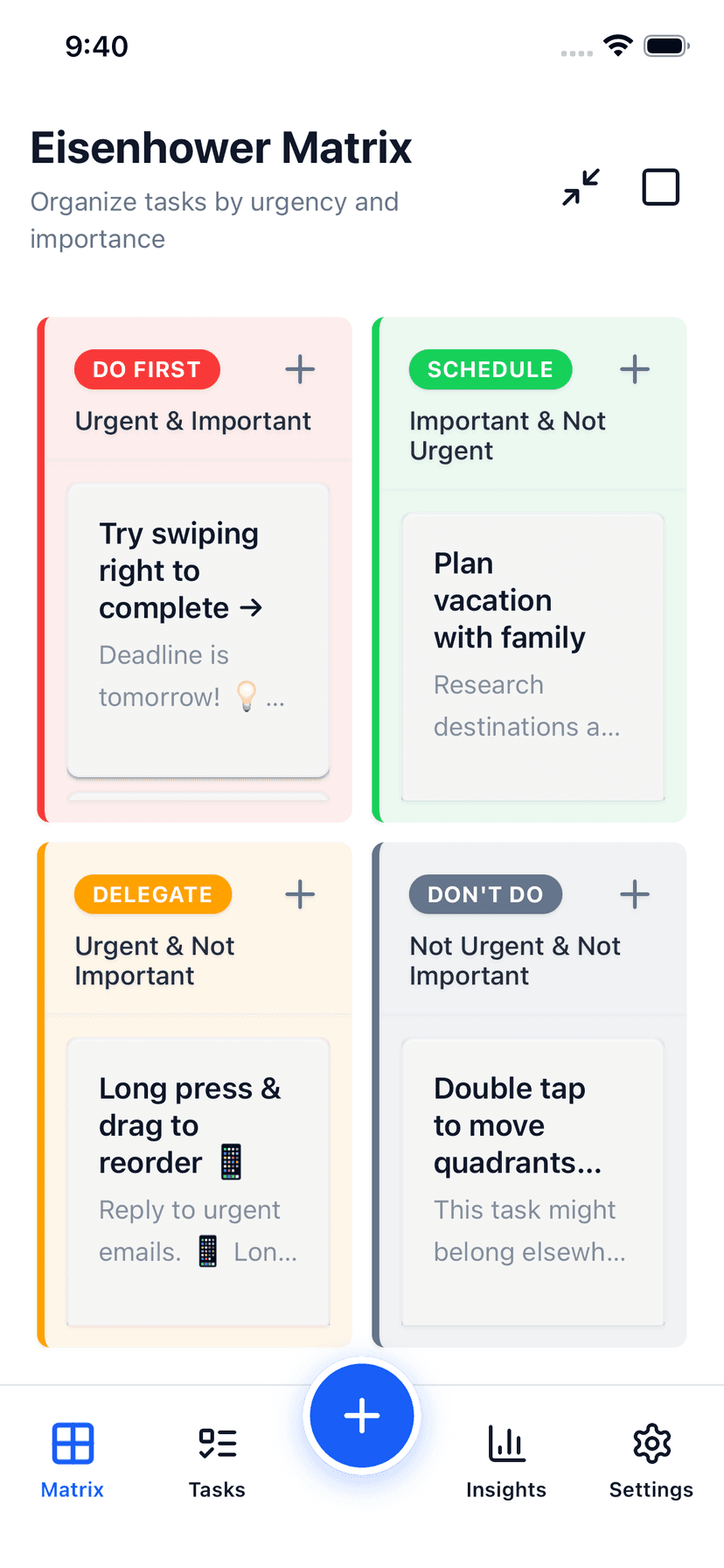
Stop reading about it. Start using it. Focus Matrix Pro gives you a beautiful, interactive Eisenhower Matrix on your phone and on the web. Drag tasks between quadrants. Swipe to complete. See your priorities on your home screen — and let AI place new tasks in the right quadrant as you go.