
If You Can't See It, It Doesn't Exist
Focus Matrix Pro widgets put your priorities on your home screen. Glance, tap, and act — without opening the app.
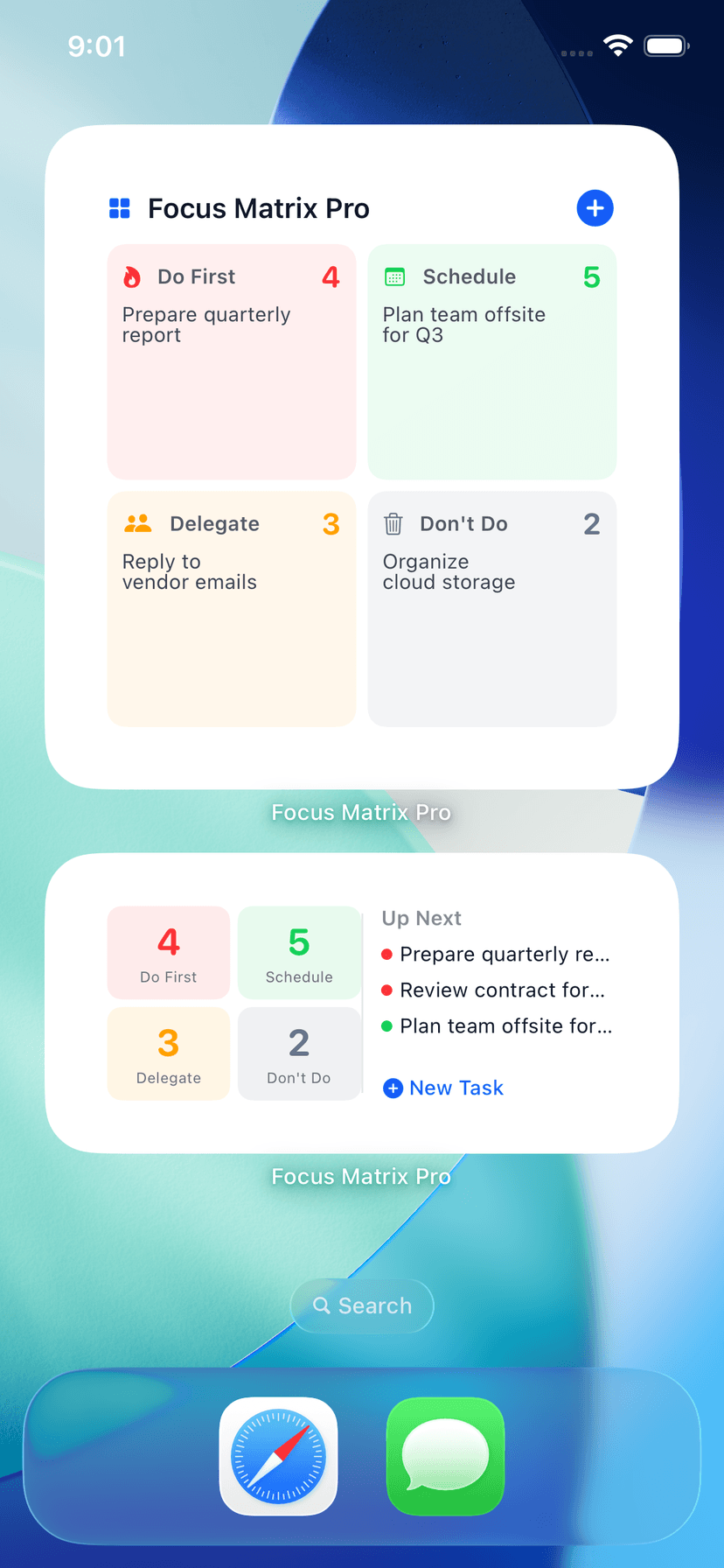
iOS Widgets
- Small widget: Task count and your top priority task at a glance.
- Medium widget: 2x2 quadrant grid with counts, "Up Next" task list, and a quick-add button.
- Large widget: Full quadrant grid with task previews per quadrant.
Supports lock screen placement, light/dark mode, and adapts to your chosen color theme.
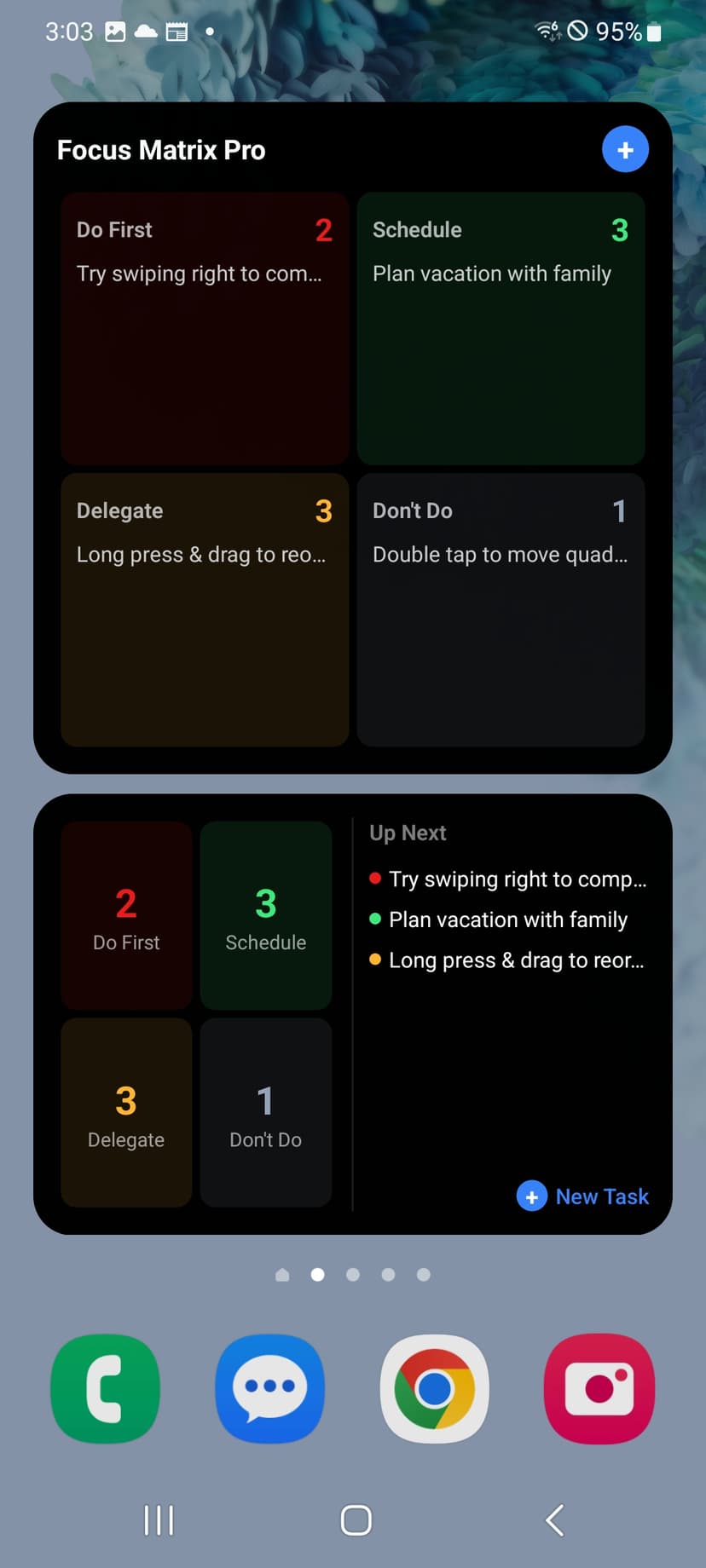
Android Widgets
- Glance (2x2): Total count and top task — minimal footprint.
- Summary (4x2): Quadrant grid with upcoming tasks and a new task button.
- Full (4x3): Expanded grid with task previews per quadrant.
System dark mode support with deep link tap targets for each quadrant.
Always Up to Date
Widgets refresh on every task change, theme change, app foreground, and every 15 minutes. Tapping navigates directly to the relevant quadrant or task.
See priorities without opening app
Available on both platforms
Adapts to your theme
Quick-add from home screen
Stop Organizing. Start Doing.
Brain dump, AI prioritization, and daily focus — wherever you work.
7-Day Free Trial · No Credit Card
Trial unlocks unlimited AI features — cloud sync requires an active Pro subscription.