
Your Tasks, Organized at a Glance
The interactive 2x2 matrix puts prioritization front and center. No lists to scroll. No projects to configure. Just four quadrants and clear actions.
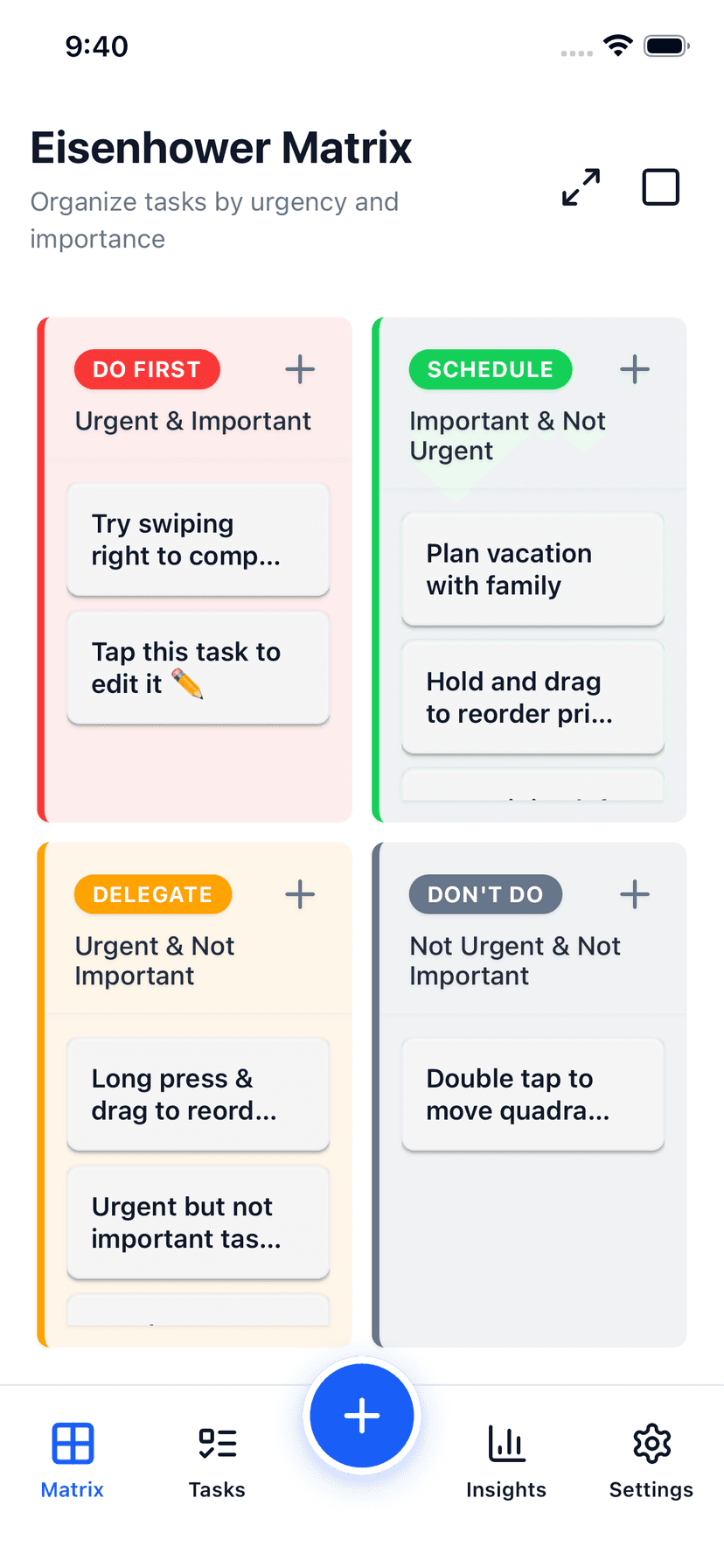
Drag to Reprioritize
Tasks can be moved between quadrants instantly with drag-and-drop. Changed your mind? Just drag. No menus, no edit screens, no confirmation dialogs.
Reorder tasks within a quadrant by dragging them up or down. Your most important Q1 task stays at the top.
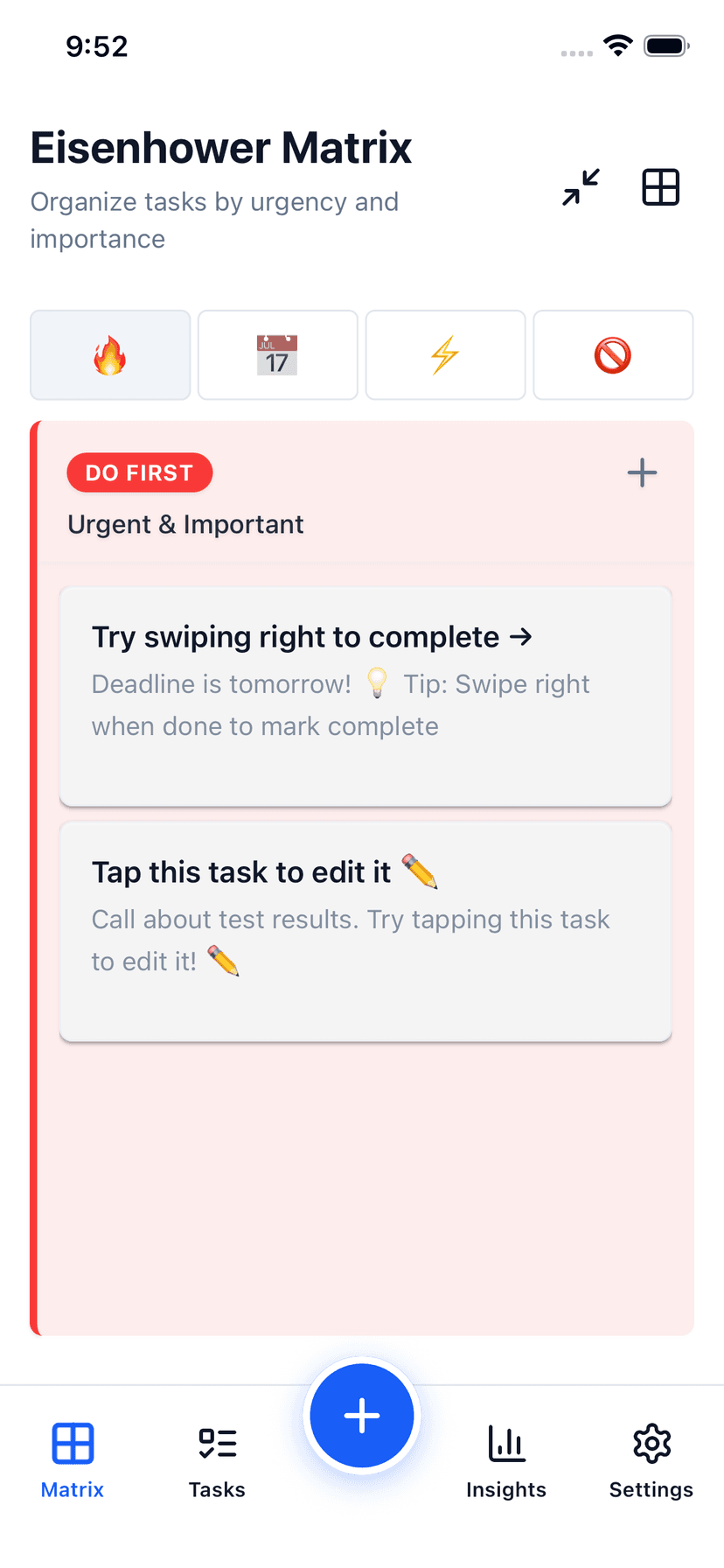
Two Ways to View
Grid mode: All 4 quadrants visible at once. Great for the big picture and quick triage.
Focus mode: Single-quadrant view. Great for heads-down work on Q1 tasks without distraction.
Compact mode for power users with many tasks fits more on screen without scrolling.
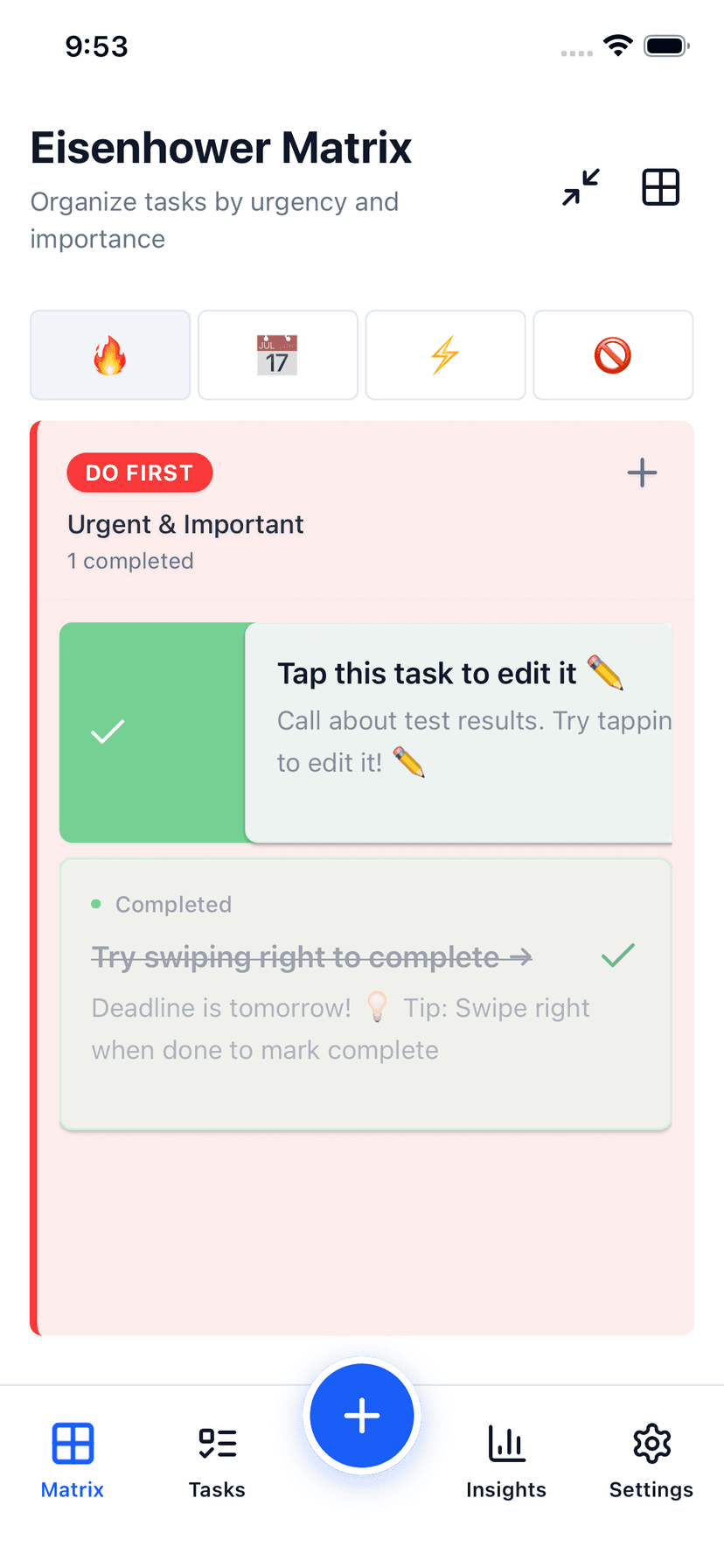
Gesture-First Design
Swipe right to complete. Swipe left to delete. Long press for a context menu with edit, duplicate, and move options.
Your fingers do the thinking. It's how mobile apps should work.
See all priorities at once
Reprioritize in seconds
Works without internet
10 color themes
Stop Organizing. Start Doing.
Brain dump, AI prioritization, and daily focus — wherever you work.
Trial unlocks unlimited AI features — cloud sync requires an active Pro subscription.